
Best Alternative to Loomio for Team Governance and Decision-Making
Discover how Rolebase combines structured decision-making with visual org charts and meeting management for self-governed teams.
March 28, 2026
If your team practices self-management, sociocracy, or holacracy, you have probably heard of Loomio. It is a well-respected platform for asynchronous decision-making that has served cooperatives, nonprofits, and political organizations since 2012. But decision-making is only one part of running a self-governed organization. Many teams eventually realize they also need clarity on roles, structured meetings, task tracking, and a visual org chart that reflects how they actually work. That is where Rolebase comes in as a comprehensive governance platform that goes beyond voting and discussions.
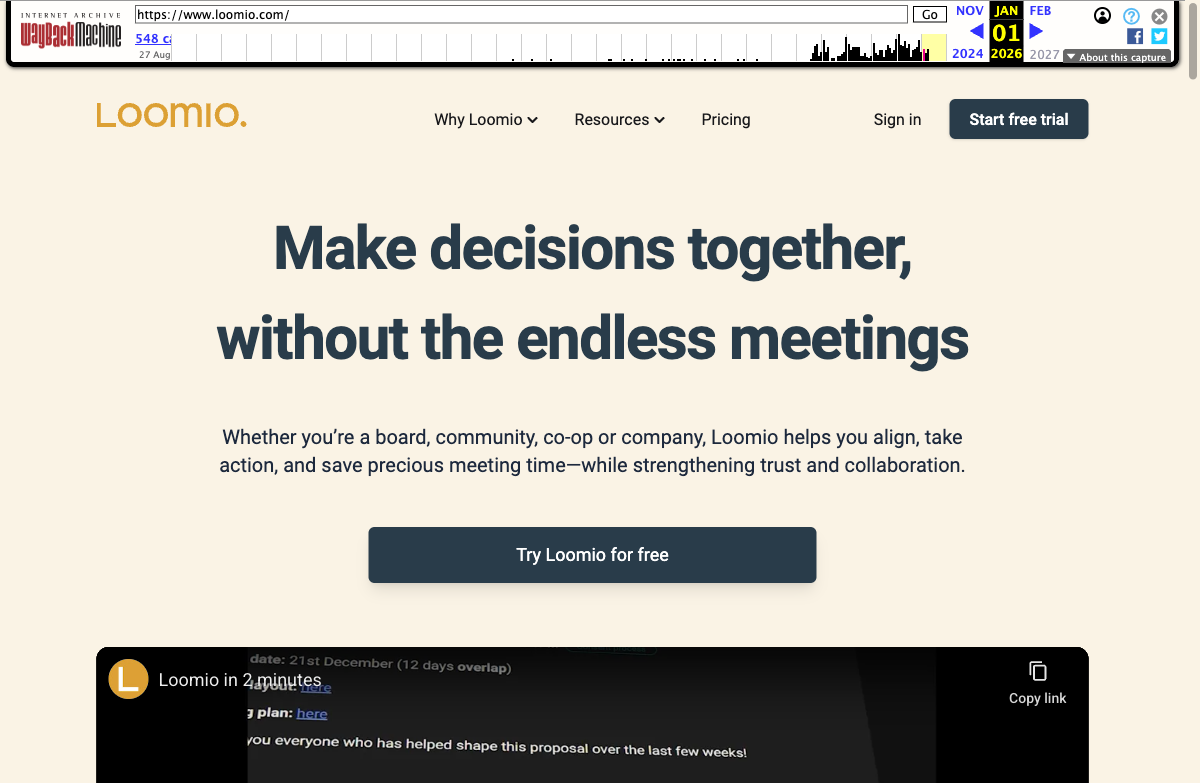
Loomio deserves recognition
Loomio is a pioneer in collaborative decision-making software. Built as a cooperative in New Zealand, it was one of the first tools to give distributed organizations a structured way to discuss, vote, and record decisions outside of email and chat. Its voting systems (consensus, consent, ranked choice, dot voting, and more) remain among the most flexible in the market as of March 2026. Organizations like the World Resources Institute, OpenSSL, and the Green Party of Western Australia rely on it daily. Loomio has earned its place in the self-management ecosystem, and any team focused primarily on formalized group decisions should seriously consider it.
Why teams look for alternatives to Loomio
Despite its strengths, some teams find that Loomio only addresses part of what they need. Here are the most common reasons organizations start exploring alternatives.
Decision-making exists in a vacuum
Loomio excels at structured voting and discussion, but it operates as a standalone decision tool. It does not include an org chart, role definitions, or meeting management. Teams that use Loomio still need separate tools for knowing who does what, running governance meetings, and tracking tasks. This creates fragmented workflows where decisions happen in one place and execution happens in several others.
As one user put it on Capterra: once you have made a decision in Loomio, you still need to go somewhere else to assign tasks, update your organizational structure, and follow through. For self-managing teams where decisions directly impact roles and accountabilities, this disconnect adds overhead that compounds over time.
The interface requires significant onboarding
According to reviews on Capterra and G2 (collected through 2025-2026), users frequently mention that Loomio's interface is "not intuitive" and requires a learning curve. When discussion threads accumulate, the inbox becomes overwhelming, and new members struggle to find their way. For organizations that value broad participation, this friction can reduce engagement from the people who matter most.
Limited mobile experience
Multiple reviewers have noted that Loomio works primarily as a desktop experience. The mobile web interface is difficult to use on smaller screens, and there is no dedicated mobile app. For teams with members who are frequently on the move or who work in non-office environments, this can be a real barrier to participation.
No organizational structure visibility
Loomio groups and subgroups help organize discussions, but they do not represent your actual organizational structure. There is no way to visualize who fills which role, what each team's purpose is, or how the org chart fits together. For self-managing organizations where clarity on roles and accountabilities is fundamental, this is a significant gap.
Engagement challenges at scale
When a Loomio workspace has many active threads, participation can drop. Users report feeling lost about where to start, and important proposals can get buried under routine discussions. The inbox dashboard, while functional, can become overwhelming when dozens of threads are active simultaneously.
Without the structural context of roles and meetings, it becomes harder to keep everyone aligned as the organization grows. A member who fills three different roles has no way to filter Loomio threads by the role they relate to. Everything lands in the same stream, making it difficult to prioritize what needs attention right now versus what can wait.
How Rolebase approaches things differently
Rolebase was designed from the ground up for self-governed organizations that need more than a decision-making tool. It combines governance, meetings, discussions, tasks, and org charts into a single platform.
A visual org chart that brings clarity
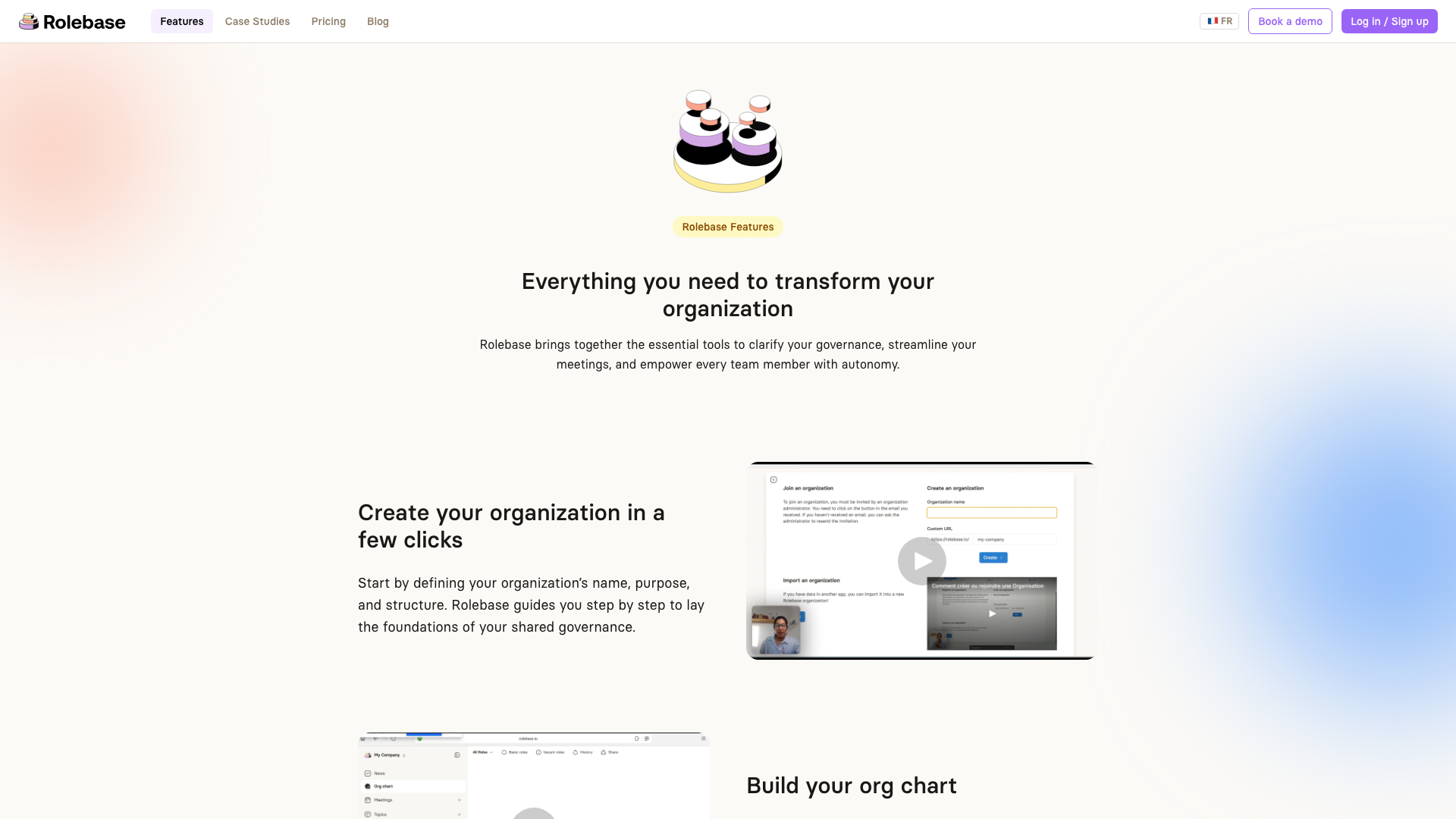
One of the most striking differences is Rolebase's interactive org chart. Every role in your organization is visible, with its purpose, domain, and accountabilities clearly defined. You can zoom into any team to see its sub-roles and members. This is more than a static diagram: it is a living representation of how your organization works, updated in real time as governance decisions are made. Three different views (Circles, Hierarchical tree, and Photo directory) let each person see the structure from the angle that matters to them, and you can fold the display down to a single role, its parents and its direct roles.
For new team members, the org chart serves as an instant onboarding tool. Instead of asking around to understand who handles what, they can explore the interactive visualization to find the right person or team in seconds. The org chart can also be exported as a PNG image for presentations or internal documents.
Meetings that follow your governance process
Rolebase includes a full meeting engine with structured steps: check-in rounds, checklists, indicators, task reviews, and discussions. Meetings follow the Holacratic tactical and governance format by default, but you can customize the step order to fit your practice. Collaborative note-taking happens in real time, and meeting summaries are automatically generated and stored. Instead of moving decisions from Loomio into a separate meeting tool, everything lives in one place.
You can schedule recurring meetings, create reusable meeting templates, and sync everything to your calendar via iCal (compatible with Google Calendar, Outlook, and others). After each meeting, a searchable summary is archived so you can always go back and find what was discussed, decided, and assigned. This is particularly valuable for teams that run weekly tactical meetings or monthly governance sessions.
Discussions and polls tied to roles
Like Loomio, Rolebase supports asynchronous discussions with rich text formatting and polls. The key difference is that every discussion belongs to a specific role, giving it organizational context. When you open a role in Rolebase, you see all its relevant discussions, tasks, decisions, and meetings in one place. This means discussions are automatically organized by the part of the organization they concern.
Polls support multiple choice, point distribution, anonymous voting, and randomized option order. They work well for consent-based decision-making: you can create a poll with options like "Consent", "Object", and "Stand Aside" to run formal consent rounds directly within a discussion.
Discussions progress through clear statuses (Preparation, Active, Blocked, Closed) and can include extra members from other roles for cross-team collaboration. They are surfaced during the Discussions step of role meetings, creating a natural bridge between asynchronous discussion and synchronous decision-making. This integration means items discussed asynchronously during the week are automatically reviewed in the next meeting, preventing important ones from slipping through the cracks.
Decisions with a governance trail
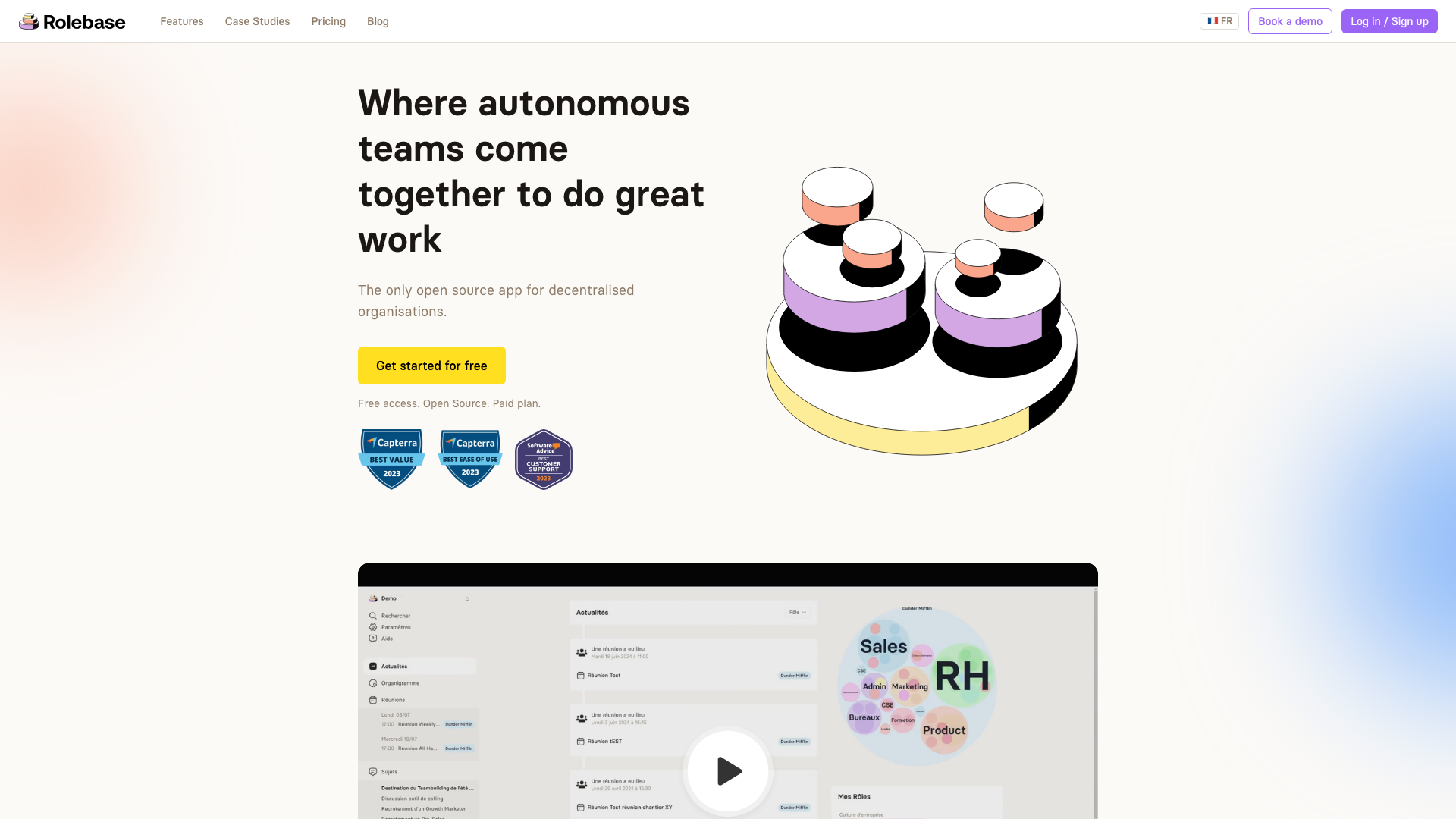
In Rolebase, formal decisions are recorded within the role where they were made. They include the context, rationale, and scope of what was decided. This creates an auditable governance log that new members can review to understand why the organization is structured the way it is. When protected governance is enabled, structural changes can only be made by role leaders, ensuring that the decision record matches the actual org chart.
A dashboard and activity feed for the big picture
Rolebase provides each member with a personal dashboard showing their upcoming meetings, current tasks, and recent activity across their roles. The organization-wide news feed surfaces new decisions, discussion updates, and structural changes so everyone stays informed without needing to check every role individually. Configurable notification digests (daily or weekly) ensure that people stay in the loop without being overwhelmed by real-time pings.
Open source and self-hostable
Both Loomio and Rolebase are open source, which is a significant advantage over proprietary alternatives. Rolebase's source code is available under the MIT license on GitHub. You can audit it, modify it, or host it on your own infrastructure. For organizations that need full control over their data, this flexibility is essential. Rolebase's data is hosted in Europe (via Nhost), and the platform is GDPR compliant, with no data transfers outside European territory.
Feature comparison
This comparison reflects the state of both platforms as of March 2026. Features may evolve over time.
| Feature | Loomio | Rolebase |
|---|---|---|
| Asynchronous discussions | Yes, with rich text and timelines | Yes, with rich text and role context |
| Voting and polls | Extensive (consensus, ranked choice, dot voting, score voting, show of thumbs) | Multiple choice, point distribution, anonymous, randomized order |
| Visual org chart | No | Yes, interactive with 3 views |
| Role definitions (purpose, domain, accountabilities) | No | Yes |
| Structured meetings | No | Yes, with customizable step-based flow |
| Task management | No | Yes, tied to roles and reviewed in meetings |
| Decision records | Via thread outcomes | Formal decision log within roles |
| Calendar integration | Time polls for scheduling | iCal sync with Google Calendar, Outlook |
| Real-time collaboration | No | Yes, during meetings and editing |
| Open source | Yes (AGPL) | Yes (MIT) |
| Self-hosting | Yes | Yes |
| Data hosting regions | USA, EU, Australia/NZ | EU (via Nhost) |
| Mobile experience | Desktop-optimized web app | Responsive web app |
| Notifications | Email notifications and digest | Configurable daily/weekly digest emails |
| Multilingual | 30+ languages with inline translation | French and English |
| Chat integrations | Slack, Mattermost, Matrix | Email/Slack notifications for tasks |
| Data export | CSV, HTML, JSON | PNG org chart, iCal calendars |
Pricing comparison
Pricing is a practical concern, especially for nonprofits and cooperatives that make up a large part of both platforms' user base.
Loomio (as of March 2026) charges per group on a flat-rate model:
- Starter: $399/year (up to 30 members)
- Pro: $999/year (unlimited members)
- Private Host: custom pricing
- Nonprofits receive 25-50% discounts
- 14-day free trial, no permanent free tier
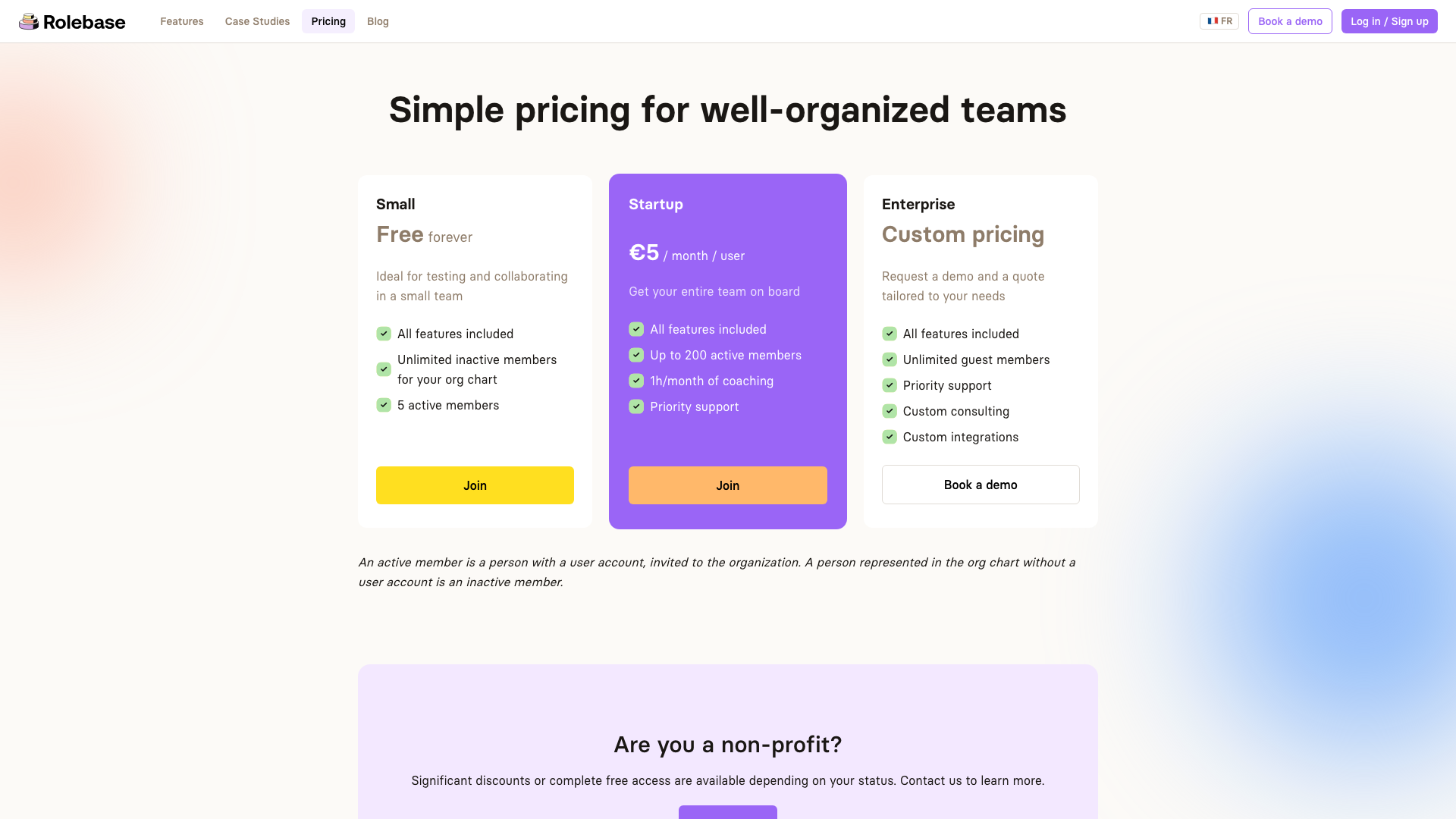
Rolebase uses a per-user model:
- Small: Free forever (all features, 5 active members, unlimited inactive members for the org chart)
- Startup: EUR 5/month per user (up to 200 active members, 1h/month coaching, priority support)
- Enterprise: custom pricing
- Nonprofits can receive significant discounts or free access
The total cost depends on your team size. For a 30-person team, Loomio's Starter plan costs $399/year while Rolebase's Startup plan would cost approximately EUR 1,800/year (EUR 5 x 30 x 12). However, Rolebase replaces several tools (org chart, meeting management, task tracking) that Loomio teams typically need as separate subscriptions. When you factor in the cost of a meeting tool, a task manager, and an org chart platform alongside Loomio, Rolebase's per-user price often represents a lower total cost of ownership.
For small teams testing the waters, Rolebase's permanent free tier is a meaningful advantage over Loomio's 14-day trial. You can build your entire org chart, run meetings, and test the platform with up to 5 active members for as long as you need before deciding whether to upgrade.
It is also worth noting that Loomio offers 25-50% discounts for verified nonprofits, while Rolebase provides significant discounts or entirely free access for nonprofits depending on their status. Both platforms recognize that mission-driven organizations often operate on tight budgets.
Who should choose which?
The right choice depends on what your organization actually needs.
Choose Loomio if:
- Your primary need is formalized voting with advanced voting methods (ranked choice, dot voting, score voting)
- You are a large membership organization (hundreds or thousands of members) where the main interaction is asynchronous voting on proposals
- You already have separate tools for meetings, task management, and organizational structure that work well for you
- You need hosting in Australia or New Zealand
Choose Rolebase if:
- You practice holacracy, sociocracy, or another form of self-management and need a platform that covers governance, meetings, roles, and tasks together
- Clarity on who does what (roles, accountabilities, org chart) is as important as how you make decisions
- You want structured meetings with collaborative agendas and automatic notes
- You need a permanent free tier to get started without a time limit
- You prefer an MIT-licensed open source solution
Consider using both if:
- You need Loomio's advanced voting methods for major organizational decisions alongside Rolebase's day-to-day governance and meeting management
Making the switch
If you are currently using Loomio and considering a move to Rolebase, the transition is straightforward. Here is a practical approach:
-
Map your structure. Start by listing the groups and subgroups you use in Loomio. These typically correspond to teams or circles in your organization. In Rolebase, create these as roles in the org chart, defining each one's purpose and accountabilities.
-
Export your decision history. Loomio allows exporting your data as CSV, HTML, or JSON. Download this archive so you can reference past decisions while building your governance log in Rolebase.
-
Invite your team. Add members to Rolebase and assign them to the appropriate roles. Everyone will immediately see their responsibilities and those of their colleagues.
-
Set up your meetings. Create meeting templates that match your current practice (tactical meetings, governance meetings, or custom formats). Schedule recurring meetings and connect them to your team calendars.
-
Start using discussions. Move your ongoing discussions from Loomio to Rolebase discussions, attaching them to the relevant roles. This gives each conversation organizational context it may have lacked before.
Most teams find they can complete this setup within a single afternoon. Rolebase also offers onboarding support: a getting-started coaching session is available to help you structure your organization on the platform, and the Startup plan includes monthly coaching time. You can also import organizational structures from tools like Holaspirit if you are migrating from multiple platforms simultaneously.
Conclusion
Loomio and Rolebase serve overlapping but distinct needs. Loomio remains an excellent choice for organizations whose primary challenge is structured asynchronous voting, particularly large membership organizations that need advanced polling methods. Rolebase is built for teams that need a unified governance platform where roles, meetings, discussions, tasks, and decisions all connect within a clear organizational structure.
For self-managing organizations that have outgrown a decision-only tool, or for teams just starting their governance journey and looking for a single platform to get it right from the start, Rolebase offers a comprehensive approach that keeps everything in one place. The permanent free tier makes it easy to try without commitment, and the open source license ensures you are never locked in.


