
Best Alternative to GlassFrog for Self-Managed Teams
Comparing GlassFrog and Rolebase for self-management: features, pricing, open source, and flexibility for teams beyond strict Holacracy.
March 28, 2026
If your team practices Holacracy, sociocracy, or any form of self-management, you have likely encountered GlassFrog. Built by HolacracyOne, it has long been the default software for organizations running Holacracy. But as self-management practices evolve and diversify, many teams are looking for tools that offer more flexibility, better pricing, and a modern user experience. Rolebase is an open source platform designed for exactly these teams: organizations that want the clarity of role-based governance without being locked into a single framework.
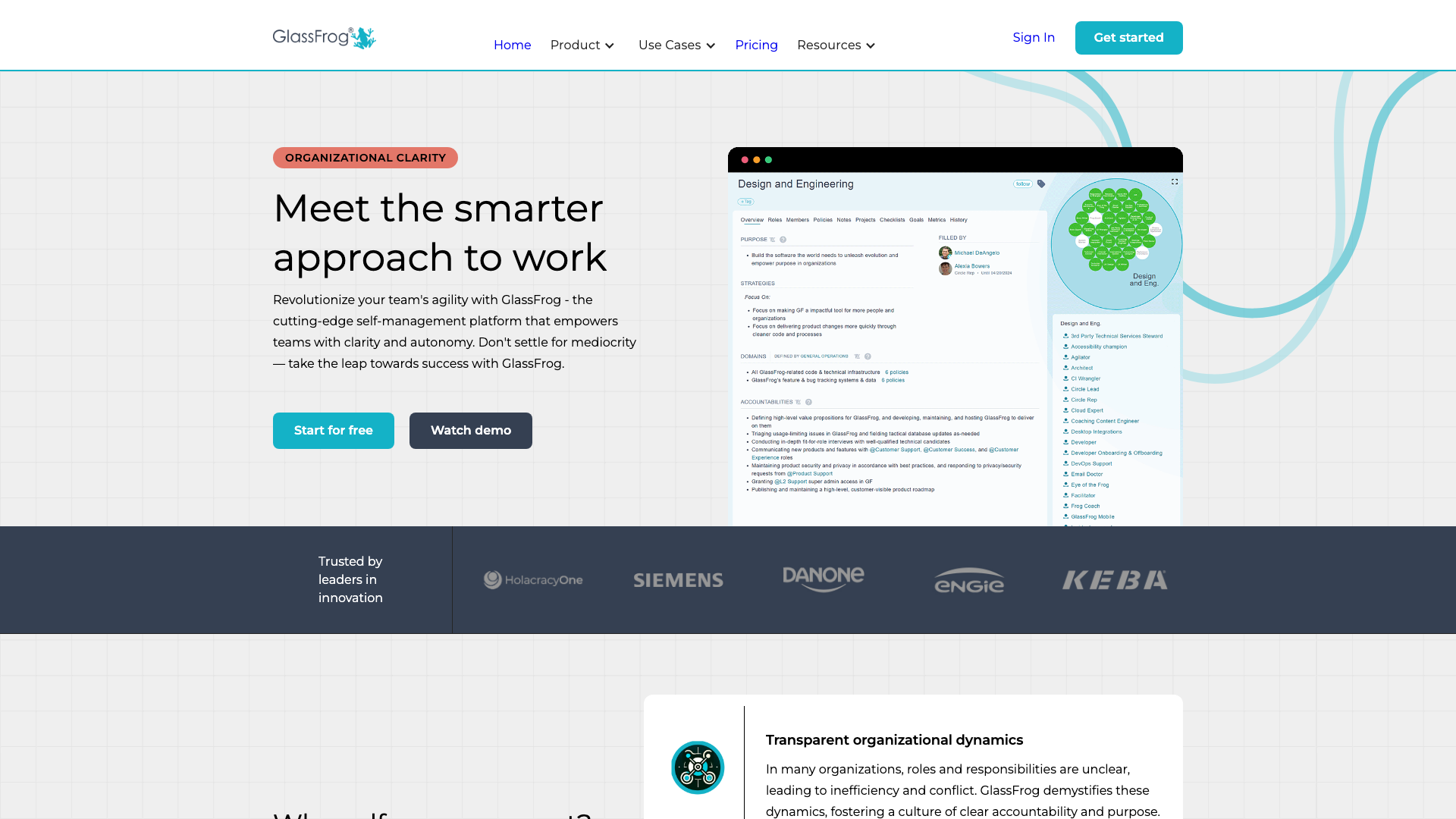
GlassFrog deserves recognition for its role in making Holacracy operational at scale. It is the official tool from the creators of Holacracy, and for organizations deeply committed to the Holacracy constitution, it provides a well-structured environment with strong meeting formats, governance processes, and an AI companion (FrogBot) that understands your company's policies. Trusted by large companies like Siemens, Danone, and Engie, GlassFrog has proven its value for enterprise-level Holacracy practice.
Why teams look for alternatives to GlassFrog
Despite its strengths, GlassFrog receives consistent feedback from users that points to several friction areas. Here are the most common reasons teams start exploring other options (based on reviews from G2, Capterra, and TrustRadius as of early 2026).
A steep learning curve tied to Holacracy
GlassFrog is built around the Holacracy constitution. For teams that are new to self-management, or that practice a hybrid approach, this can feel overwhelming. Navigation is structured around Holacracy-specific concepts (tensions, governance meetings, tactical meetings), and users who are simply looking for clearer roles and better meetings often find the interface confusing at first.
Navigation and performance issues
Multiple reviewers mention difficulty navigating through circles, especially in larger organizations. Finding specific roles or responsibilities can require several clicks, and some users report slower-than-expected page loads. The "Inbox" feature for surfacing tensions has been called confusing, with users expecting to find it under a "Tensions" label instead.
Limited customization of roles and structures
Teams that want to break away from strict Holacracy structures sometimes find GlassFrog rigid. The inability to easily customize role structures (for example, organizations that do not use a secretary role) has been cited as a limitation. If your governance model does not perfectly match the Holacracy template, adaptation can be difficult.
Pricing adds up with add-ons
GlassFrog's Premium plan is $7/user/month, which is reasonable on its own. However, key features like OKRs ($1.50/user/month) and the AI companion FrogBot ($1.50/user/month) are additional charges. For a team of 50 people wanting the full feature set, the monthly cost can reach $500, and there is no permanent free tier beyond 10 users.
Closed source with limited integrations
GlassFrog integrates with Slack, Jira, and Asana, but the platform is closed source. Organizations that need to audit their tools, self-host for compliance reasons, or build custom integrations have limited options. The API is available but rate-limited to 50 calls/hour on the free plan.
How Rolebase approaches things differently
Rolebase was built with a different philosophy: provide the structure that self-managed teams need while remaining flexible enough to adapt to any governance model. Here is how the two platforms differ in practice.
Open source and self-hostable
Rolebase is fully open source under the MIT license. The entire codebase is available on GitHub, meaning your team can audit the code, contribute improvements, or deploy your own instance on your own servers. For organizations with strict data sovereignty requirements or those that simply prefer transparency in their tools, this is a significant advantage that GlassFrog does not offer.
Framework-agnostic governance
While GlassFrog is built specifically for Holacracy, Rolebase is designed to work with any governance model. You can implement Holacracy, sociocracy, or your own custom framework. Meeting steps are configurable (tour, discussions, checklist, indicators, tasks), and you can reorder, add, or remove them to match your team's workflow. Rolebase gives you the structure without imposing the rules.
A modern, intuitive interface
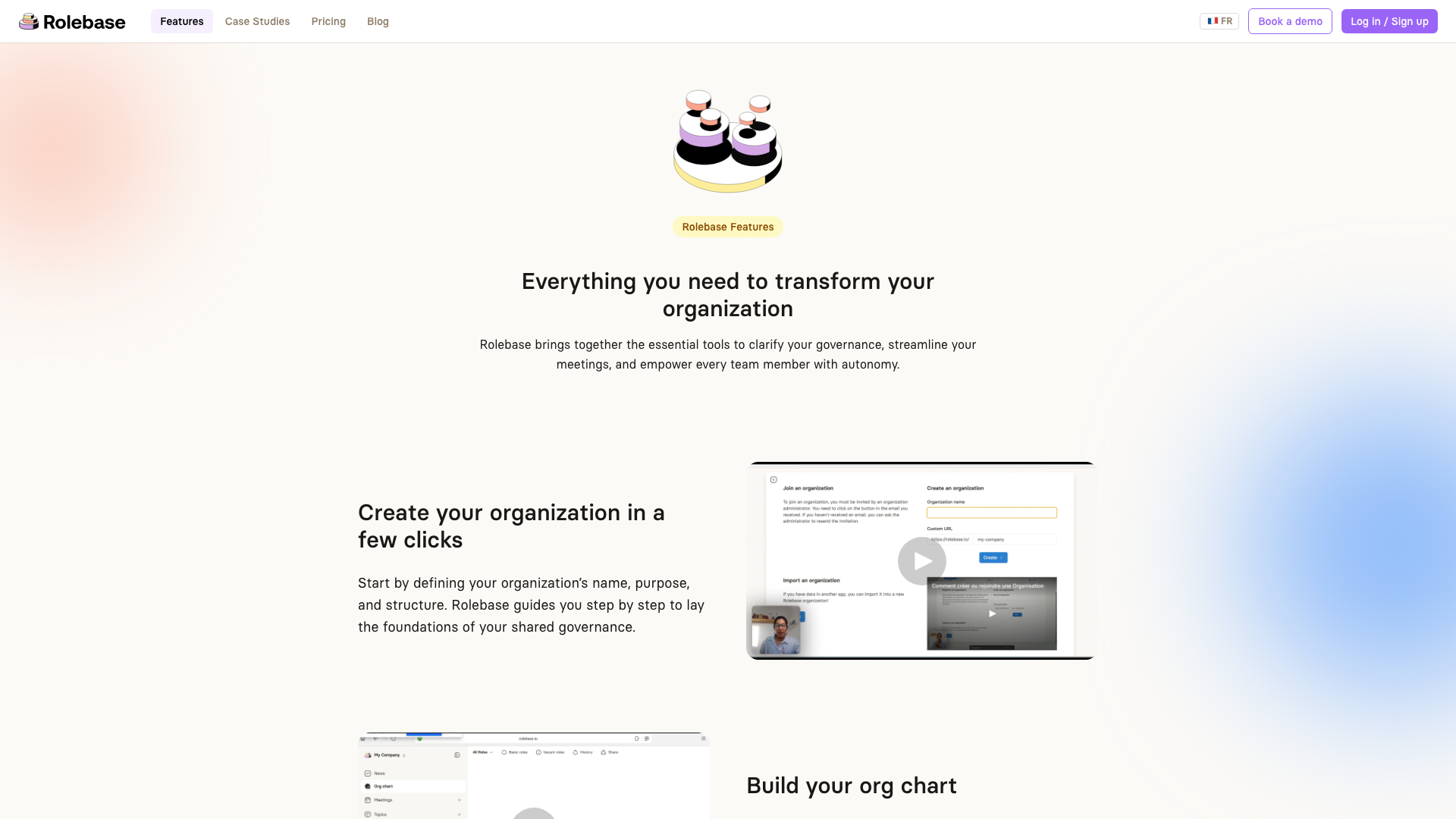
Rolebase offers a clean, modern experience built with simplicity in mind. The interactive org chart provides three different views (Circles, Hierarchical tree, and Photo directory), which you can fold down to a single role, its parents and its direct roles. Click into any role to explore its contents. Real-time collaboration means changes appear instantly for all participants during meetings or workshops. The dashboard gives everyone a clear view of their tasks, upcoming meetings, and recent activity.
Meetings designed for real teams
Both platforms offer structured meetings, but Rolebase takes a more flexible approach. Meetings belong to roles and follow customizable step sequences. You get collaborative agendas and automatic meeting notes. Recurring meetings and meeting templates save time for regular sessions. The key difference: Rolebase lets you build the meeting format that works for your team rather than requiring you to follow a prescribed Holacratic format.
All features included at every tier
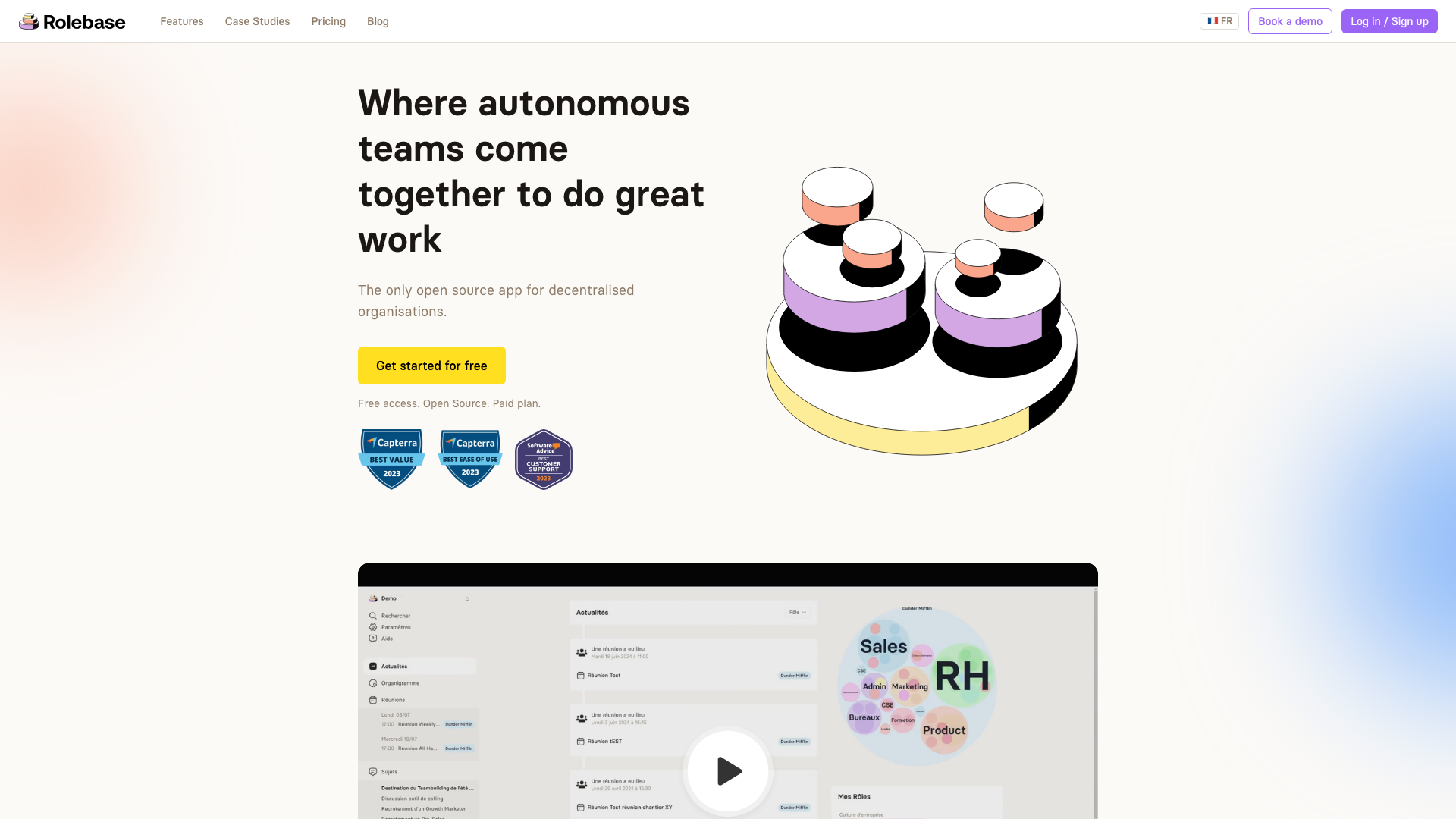
Rolebase includes all features in every plan, from the free tier to the paid plans. There are no add-on charges for specific capabilities. Discussions, tasks, decisions, activity logs, calendar integration, data import, org chart export, notifications, and protected governance are all available from day one.
Feature comparison
Here is a side-by-side look at both platforms' capabilities (as of March 2026).
| Feature | GlassFrog | Rolebase |
|---|---|---|
| Dynamic org chart | Yes | Yes (3 views) |
| Role-based governance | Holacracy-focused | Framework-agnostic |
| Structured meetings | Tactical + Governance | Customizable step-based |
| Meeting templates | Yes (Agile meeting library) | Yes |
| Tasks and projects | Yes (sub-projects on Premium) | Yes (included in all plans) |
| Discussions | Via tension inbox | Dedicated discussions per role |
| Decisions tracking | Via governance | Yes, per role |
| OKRs / Goals | $1.50/user/month add-on | Not available |
| AI companion | FrogBot ($1.50/user/month add-on) | Not available |
| Integrations | Slack, Jira, Asana | Calendar sync (iCal), API |
| Data import | Limited | Yes (including from Holaspirit) |
| Open source | No | Yes (MIT license) |
| Self-hosting | No | Yes |
| GDPR compliance | Yes | Yes (EU servers) |
| API access | Yes (rate-limited) | Yes (GraphQL) |
| Real-time collaboration | Limited | Yes |
GlassFrog has the edge on OKRs and AI-powered assistance with FrogBot, features Rolebase does not currently offer. GlassFrog also has more mature third-party integrations with Slack, Jira, and Asana. Rolebase leads on openness, pricing transparency, and flexibility in governance model.
Pricing comparison
Understanding the full cost of each platform helps make an informed decision. Here is how pricing compares as of March 2026.
GlassFrog:
- Free plan: up to 10 users, basic features
- Premium: $7/user/month (or $70/user/year)
- OKRs add-on: +$1.50/user/month
- FrogBot AI add-on: +$1.50/user/month
- Enterprise: custom pricing for 500+ users
- Unlimited free viewer accounts on Premium
Rolebase:
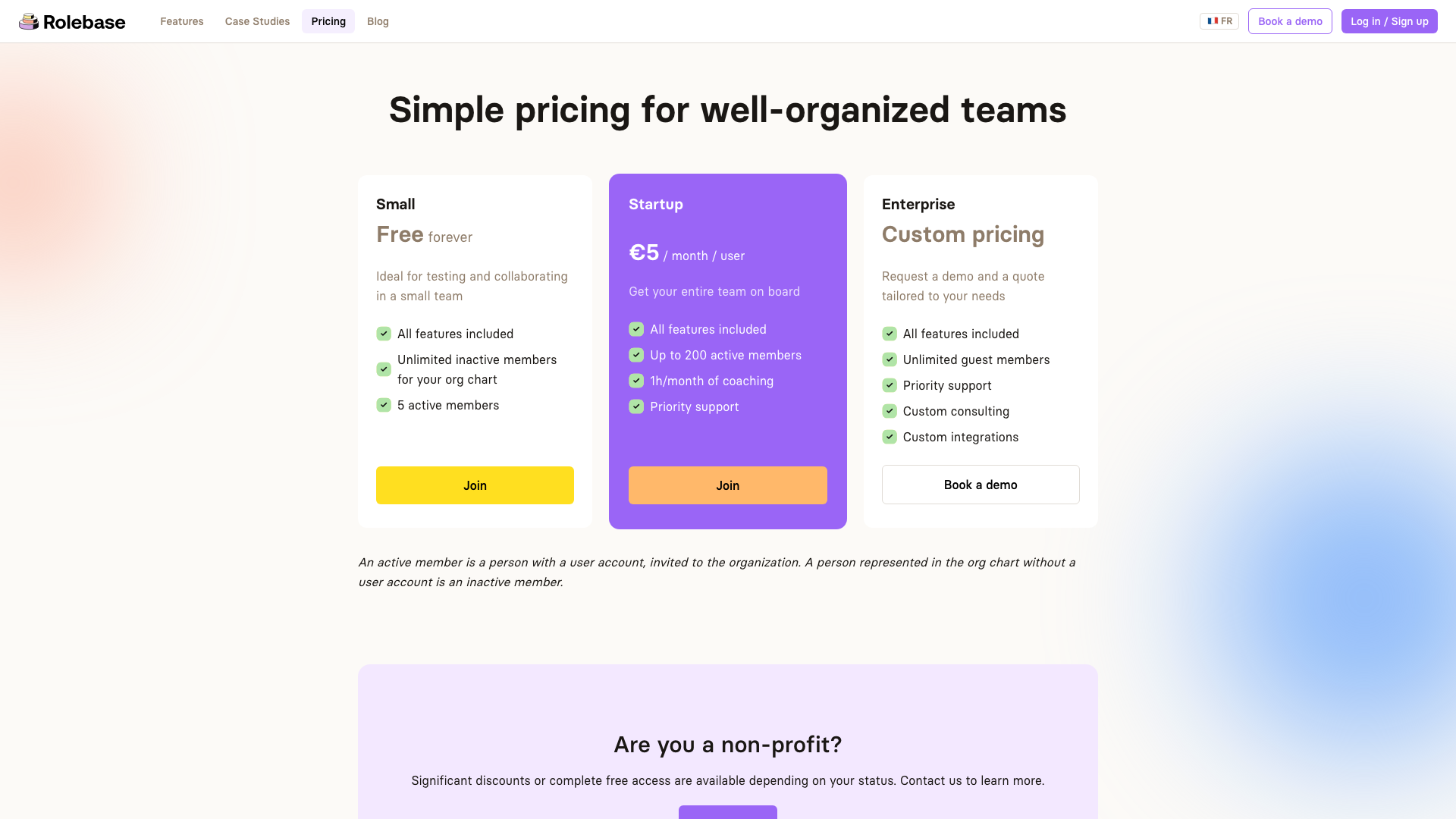
- Small (Free): all features, up to 5 active members, unlimited inactive members for the org chart
- Startup: 5 euros/month/user, up to 200 active members, includes 1h/month coaching and priority support
- Enterprise: custom pricing with unlimited guest members and custom consulting
- Non-profit discounts or free access available
- Self-hosting: free (MIT license), you cover server costs
For a team of 50 active members wanting the full feature set:
- GlassFrog Premium with all add-ons: approximately $500/month ($10/user)
- Rolebase Startup: 250 euros/month (5 euros/user), with coaching included
Rolebase's pricing is straightforward: one price, all features. GlassFrog's modular pricing can become complex as you add capabilities your team needs.
Who should choose which?
Both platforms serve self-managed organizations, but they are built for different contexts.
Choose GlassFrog if:
- Your organization is deeply committed to the Holacracy constitution and needs official tooling
- You work with Holacracy coaches and want the Habit Support Program
- You need OKR tracking built into your governance tool
- You want AI-powered assistance for navigating company policies
- You are a large enterprise (500+ users) with existing Jira/Asana/Slack workflows
Choose Rolebase if:
- You practice self-management but want flexibility in your governance model
- Open source and data transparency matter to your organization
- You need a self-hosted solution for compliance or data sovereignty
- You want all features included without add-on pricing
- You are a small to mid-sized team looking for an affordable, intuitive solution
- You are a non-profit or cooperative looking for discounted or free access
For teams that are just getting started with horizontal management, Rolebase offers a gentler entry point. You can build your governance model progressively, starting with simple roles and meetings, and evolving your structure as your organization matures.
Making the switch
Migrating from GlassFrog to Rolebase is designed to be straightforward. Rolebase supports data import to help you bring your organizational structure over. You can import roles, members, and structural data so you do not have to rebuild everything from scratch.
The transition process typically looks like this:
- Export your data from GlassFrog (available on the Premium plan with full data download)
- Create your organization in Rolebase and import your structure
- Invite your team and assign roles
- Run a pilot meeting to let everyone get comfortable with the new interface
- Gradually transition your ongoing governance to Rolebase
Because Rolebase is free to start with, you can run both platforms in parallel during a transition period. This lets your team compare the experience firsthand before making a full switch.
Conclusion
GlassFrog has earned its place as the reference tool for Holacracy practitioners, and it remains the strongest choice for organizations that follow the Holacracy constitution closely. Its AI features and enterprise integrations give it clear advantages in specific contexts.
For teams that want flexibility in their governance model, transparent pricing, open source code, and a modern user experience, Rolebase offers a compelling alternative. The ability to self-host, the inclusive feature set at every pricing tier, and the framework-agnostic design make it well-suited for the growing number of organizations that draw from multiple self-management approaches rather than following a single methodology.
The best way to evaluate either platform is to try it. Both offer free options to get started, so you can experience the differences for yourself and choose the tool that truly fits how your team works.

