Lucidchart Alternative for a Living Org Chart
Rolebase replaces the org chart you redraw by hand rather than the diagram editor. Here is how it compares to Lucidchart on features, price and migration.
August 1, 2026
- Rolebase draws no flowcharts, no network diagrams and no wireframes. For those, Lucidchart stays the right tool.
- Lucidchart prices checked on 1 August 2026: free plan with 3 editable documents and 75 shapes each, Individual at $9 per month, Team at $10 per user per month, VAT excluded.
- A Lucidchart org chart belongs to whoever owns the document. A Rolebase org chart is kept current by each member on their own roles.
- Rolebase is free up to 5 active members, with unlimited inactive members in the org chart, then €5 per user per month with every feature included.
Let us settle the obvious point first. If you are looking for an alternative to Lucidchart to draw flowcharts, database schemas, network diagrams or user journeys, Rolebase is the wrong answer. It has no drawing canvas, and that is a deliberate choice rather than an empty box on a roadmap.
What Rolebase replaces is narrower and far more annoying: the org chart someone drew by hand, that everyone praised for a week, and that went stale at the next reorganization. If that document is the reason you are shopping around, the rest of this article is for you.
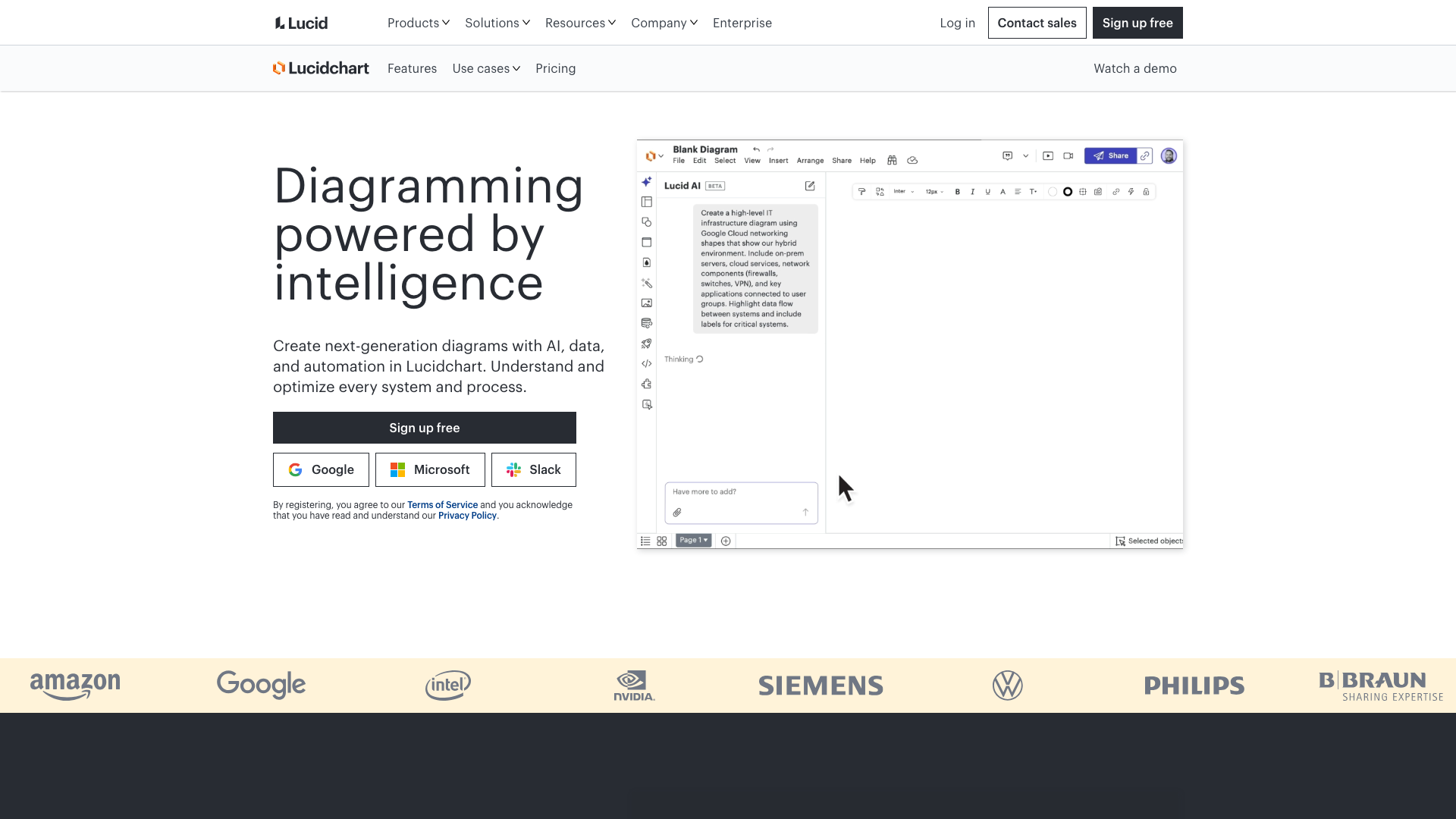
What Lucidchart does well
Lucidchart is one of the best diagram editors on the market, and it has earned that position. The canvas is fast, the shape libraries cover everything from AWS architectures to BPMN, and several people can edit the same document at once with their own cursor. Lucid claims 99% of the Fortune 500 among its customers, and the integrations with Microsoft 365, Confluence and Jira put a diagram exactly where the work already happens.
For org charts specifically, the tool goes further than a blank page. You import employee data from a CSV file, an Excel sheet or Google Sheets, and Lucidchart builds the chart for you. Smart shapes connect direct reports to their manager and keep the layout clean when you move someone. On the Enterprise plan, the import runs straight from BambooHR, and you can overlay HR fields such as department, hire date or pay rate on top of the boxes.
One clarification deserves a place here, since the question comes up in search results often enough. Nothing happened to Lucidchart. The product is alive and shipping, it simply lives under the Lucid brand now, alongside Lucidspark, and lucidchart.com redirects to lucid.app. We checked that on 1 August 2026.
Why teams look for an alternative to Lucidchart
The org chart ages the moment it is drawn
A Lucidchart org chart is a document. Someone owns the file, and that person becomes the bottleneck for every arrival, departure, team split and role handover. Data linking helps if your source spreadsheet is clean, and it still needs a manual refresh or a re-import to reflect what changed.
Scop EVEA, an environmental consulting cooperative, ran into exactly this before switching to Rolebase. The company went from 60 people in 2020 to 140 in 2023, spread across three offices, and its organization lived in a PowerPoint. Their communication manager described the situation better than we could: representing the company was "like exploring the meanders of an unknown river with a hand-drawn map". You can read the full story of their migration.
The free plan runs out fast
The free version of Lucidchart gives you 3 editable documents and 75 shapes per document. An org chart for a 40-person company blows through the shape budget on its own, and you have spent one of your three documents on it. That limit is a deliberate trial, and it makes the free plan a poor place to keep a document the whole company is supposed to consult.
Large diagrams get heavy
Reviewers on Capterra regularly mention slowdowns once a document grows, and browser performance is the first thing to suffer. An org chart is one of the diagrams that grows the fastest, because it gains a box every time someone is hired.
Premium shapes and features sit behind the tiers
Several shape libraries, Visio import and export, revision history and the Confluence, Jira and Microsoft 365 integrations are spread across the paid plans. Users also point at limited colour options and templates on the lower tiers. None of that is unreasonable for a diagramming tool, and it does mean the version you tested for free is not the version you will be paying for.
A box is not a role
This is the structural limit, and no pricing tier fixes it. A rectangle holds a name and a title. It says nothing about what that person is accountable for, which decisions they can make alone, or the three other teams they contribute to. Every organization that distributes responsibility hits this wall, and the usual workaround is a second document listing who does what, which then drifts away from the first one.
Where a drawing falls short of a real org chart
The gap shows up in four everyday situations.
Someone holds several roles across several teams. On a canvas you duplicate the box, and the duplicate is now a second source of truth that someone has to remember to update.
A team wants to see the same organization differently. Operations want a flat list of who does what, the executive team wants the nesting, a new joiner wants faces. On a canvas, that means three drawings, maintained three times.
A responsibility moves from one person to another. In a drawing you edit a label. In practice the accountabilities, the ongoing tasks and the meetings attached to that responsibility move too, and none of them live in the drawing.
Someone asks a question the chart should answer. Who can approve this expense? Who replaced Sarah on the recruitment role? The drawing shows a hierarchy, and the answer is somewhere else.
We wrote more about this shift in the dynamic org chart and in how to create an org chart for your company.
How Rolebase approaches the org chart
Every team maintains its own part
In Rolebase, each member updates their own roles, and each team updates its own structure. The org chart reflects reality because the people who know the reality are the ones editing it. Changes appear in real time for everyone, which matters most during a workshop where the structure is being reshaped live.
Protected governance is there for organizations that want a guardrail, and it restricts structural changes to circle leaders.
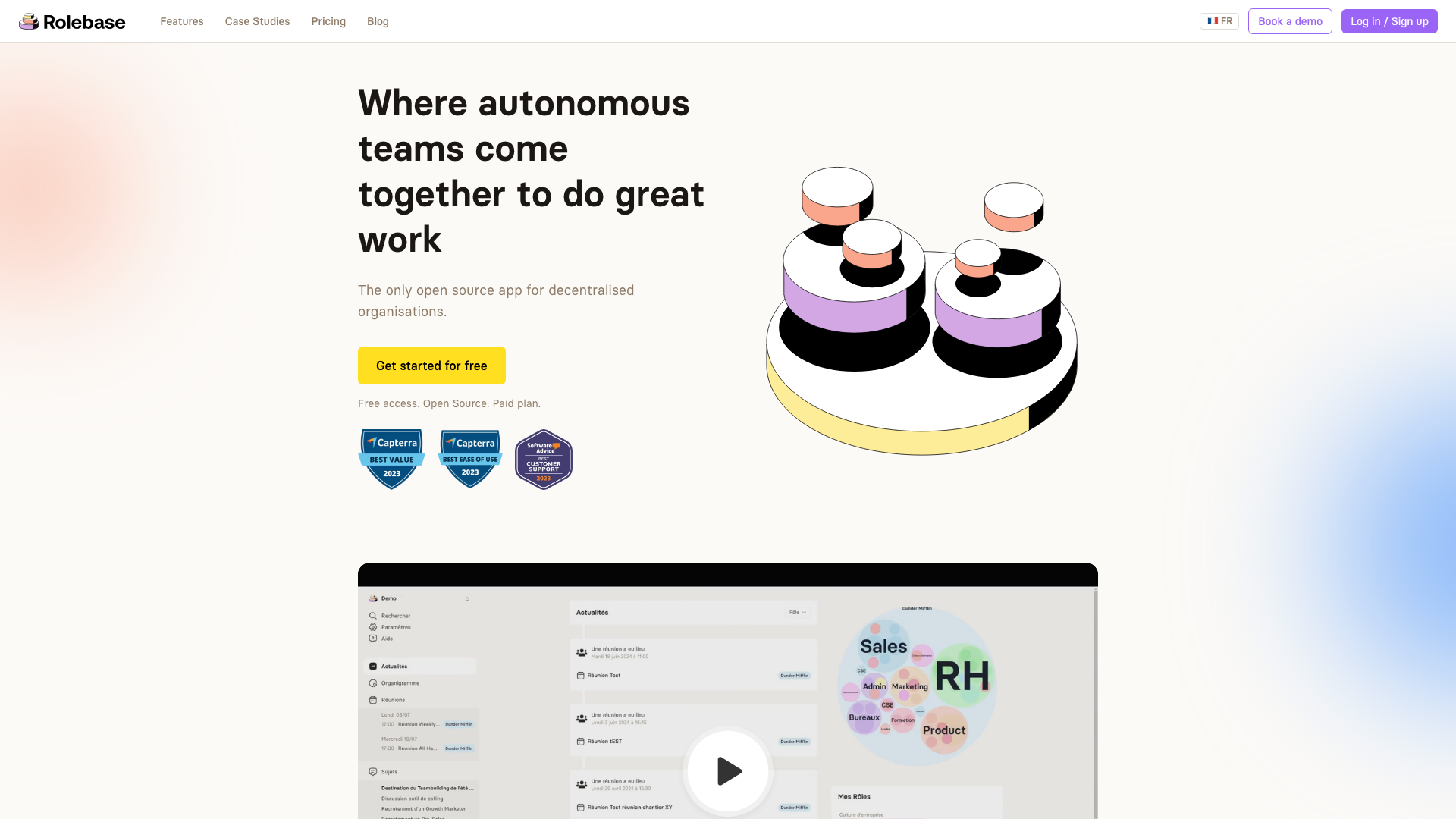
Roles carry their content
A role in Rolebase has a purpose, a domain and a list of accountabilities. It also carries its own discussions, tasks, decisions and meetings. Assign it to someone and they inherit the whole thing, which turns a handover into an assignment rather than a two-week archaeology project.
One person can hold five roles in four different teams without a single duplicate box, because the member and the role are two separate objects.
Three views of the same data
You choose how the organization is displayed, and one click switches between them. Circles nests every role inside its parent. Hierarchical tree gives you the classic top-down chart. Photo directory shows the people without the roles. You can also fold the display down to a single role, its parents and its direct roles, which keeps a large organization readable. In a diagram tool, each of these would be a separate file to redraw and keep in sync.
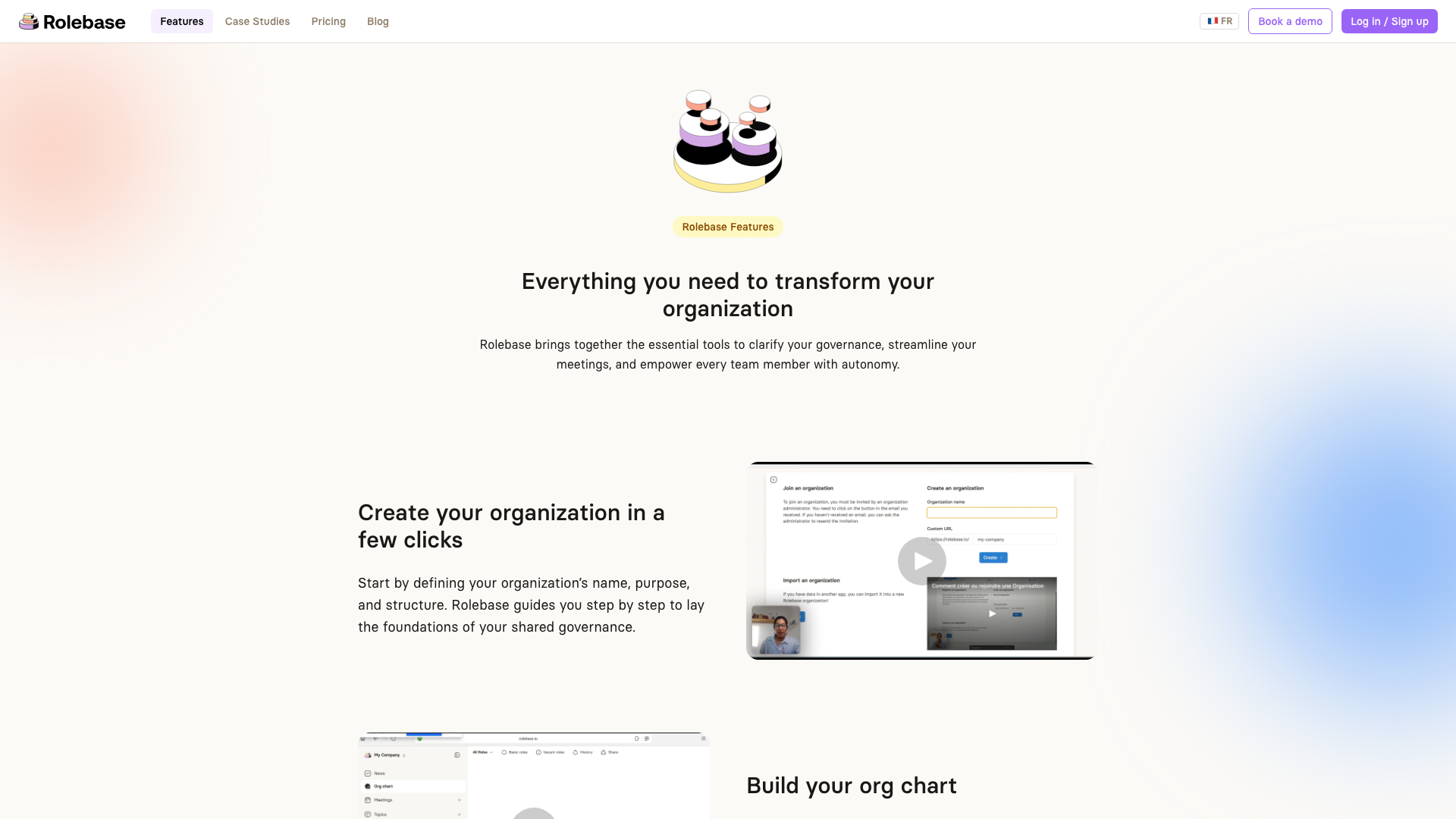
You still get an image when you need one
Slides and PDFs are a real need, and this is the one place where a diagram tool has an obvious edge. Rolebase exports the org chart as a transparent PNG, and you pick the view, the width in pixels and the light or dark rendering before downloading. It covers the board deck and the onboarding handbook. It does not give you a canvas to annotate afterwards.
Full organization data exports to XLSX or JSON, with a choice of what to include: members, roles, decisions, tasks, meetings.
Open source, and free for small teams
Rolebase ships under the MIT license. The code is auditable, and you can run it on your own servers, which is usually the deciding factor when the org chart holds personal data and your DPO asks where it travels. The free plan covers every feature for up to 5 active members, with unlimited inactive members in the org chart, so a 40-person company can map its whole structure and give account access to the five people who maintain it.
Feature comparison
We checked every line below on 1 August 2026.
| Capability | Lucidchart | Rolebase |
|---|---|---|
| Flowcharts, ERD, network diagrams | Yes, hundreds of shape libraries | No |
| Org chart | Yes, as a drawing | Yes, as data |
| Build from imported data | CSV, Excel, Google Sheets | Holaspirit, other formats on request |
| HRIS import | BambooHR, Enterprise plan | No |
| Who updates it | Whoever owns the document | Every member, on their own roles |
| Roles with purpose, domain, accountabilities | A label in a box | Structured fields |
| One person in several teams | Duplicate boxes | One member, several roles |
| Views of the same structure | One layout per document | 3 built-in views |
| Real-time collaboration | Yes | Yes |
| Image export | PNG, PDF, SVG, Visio on paid plans | PNG, transparent, per view |
| Structured data export | Diagram files | XLSX, JSON |
| Meetings attached to roles | No | Yes, with agenda and automatic notes |
| Tasks, discussions, decisions per role | No | Yes |
| Integrations | Microsoft 365, Confluence, Jira, Salesforce on Enterprise | Calendar sync (iCal), GraphQL API |
| Open source | No | Yes, MIT license |
| Self-hosting | No | Yes |
| Free plan | 3 documents, 75 shapes each | All features, 5 active members |
Lucidchart wins on everything that involves drawing, on the breadth of its integrations and on HRIS import. Rolebase wins on everything that involves keeping the organization current after the first draft.
Pricing comparison
Lucidchart, from the Lucid pricing page on 1 August 2026, VAT excluded:
- Free: 3 editable documents, 75 shapes per document, 100 templates
- Individual: $9 per month, unlimited documents and objects
- Team: $10 per user per month, adds revision history, password protected publishing and the Microsoft 365, Confluence and Jira integrations
- Enterprise: on quote, adds SAML, advanced data and automation, Salesforce and the BambooHR org chart import
- Annual billing brings the Individual plan down to around $8 per month
Rolebase, from our pricing page:
- Small: free forever, every feature, 5 active members, unlimited inactive members in the org chart
- Startup: €5 per user per month, unlimited active members, 1 hour of coaching per month and priority support
- Enterprise: on quote, unlimited guest members, custom consulting and integrations
- Non-profits get a significant discount or free access depending on their status
- Self-hosting is free under the MIT license, and you pay for your servers
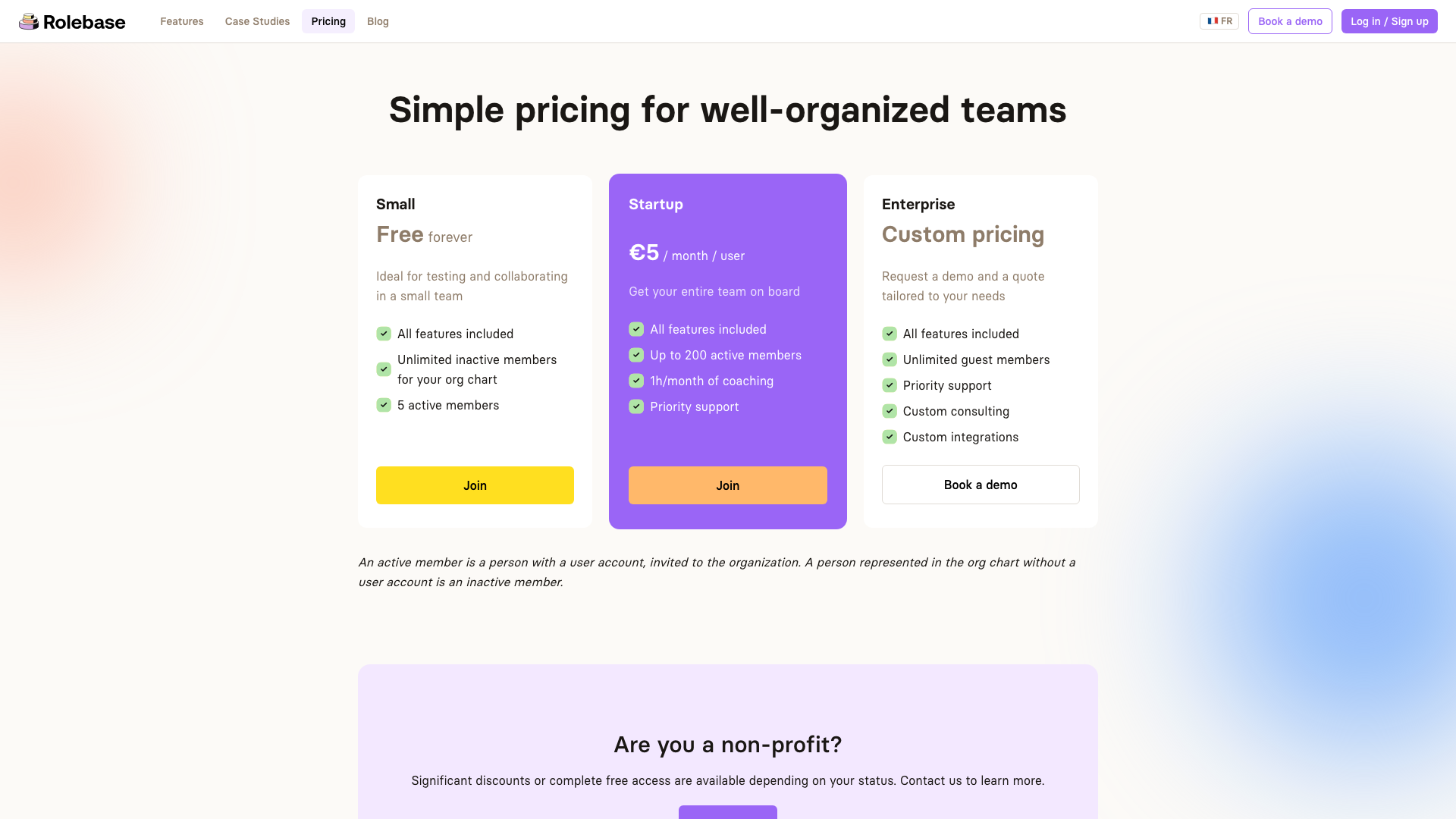
The two per-seat prices sit within a euro of each other, so what decides the bill is who needs a seat. Lucidchart charges for everyone who edits a document, and an org chart in a growing company gets edited by HR, by the assistants and by every team lead. Rolebase charges for active members, and a person who appears in the org chart without needing an account costs nothing at all. For a 40-person company where 5 people maintain the structure, that is €0 per month against 5 Lucidchart Team seats at $50.
The other options worth a look
Recommending only ourselves would be convenient and not very useful.
draw.io, also known as diagrams.net, is the answer to "is there a free alternative to Lucidchart". It runs under the Apache 2.0 license, opens with no account, works offline as a desktop app, and imports Visio, Gliffy and Lucidchart files, which makes the migration nearly free. It builds a diagram from a CSV file and offers automatic layouts. It produces a drawing, with the same ageing problem, and it costs nothing. We compared it with five other options in our roundup of open source org chart tools.
Organimi is a dedicated org chart builder aimed at HR teams. Pricing scales with the number of people charted rather than with seats, at $13 per month for the Basic plan and $25 for Premium at 150 people charted, billed annually. It imports CSV and Excel, connects to Active Directory, Google and Salesforce on the Premium plan, and handles matrix and accountability charts. It is a good fit for a classic hierarchy fed by an HR system.
Microsoft Visio is the answer to "what is the Microsoft equivalent of Lucidchart", and it makes sense for organizations already deep in the Microsoft stack. It is a diagram editor too, so the ageing problem follows you there.
If your organization practices shared governance and you are comparing tools in that specific category, our comparisons with Peerdom and GlassFrog will be more useful than this one.
Who should choose which
Stay on Lucidchart if your org chart is one diagram among fifty others, if your team draws architectures and processes every week, if you need the BambooHR sync, or if your organization is a stable hierarchy where one person legitimately owns the chart.
Try Rolebase if your org chart is redrawn after every reorganization, if people hold several roles across several teams, if you want each team to maintain its own part, if open source or self-hosting matters to you, or if you also need the meetings, tasks and decisions to hang off the roles instead of floating in a separate tool.
Use both if you draw in Lucidchart and organize in Rolebase. That is a common and perfectly reasonable setup, and the two tools are not competing for the same job.
Migrating your org chart
Nobody rebuilds a 140-person structure in an evening, and nobody should try.
- Export what you have. A Lucidchart org chart built from a data import means the source CSV or Excel file is still the cleanest starting point, so go back to it rather than to the drawing.
- Create your organization in Rolebase and start with the teams, before the people. Five to ten circles is usually enough for a first pass.
- Add the roles that already exist in practice, with a purpose and two or three accountabilities each. Resist the urge to be exhaustive on day one.
- Invite the people who maintain the structure. Everyone else can appear as an inactive member, at no cost, until they need an account.
- Run one meeting inside the tool. This is the step that decides whether the org chart stays alive, because a structure nobody uses in a meeting goes back to being a drawing.
Rolebase imports organizations from Holaspirit automatically. For any other source, upload your file and our team picks it up as a request rather than leaving you to retype everything.
Since the free plan has no time limit, running both tools side by side during the transition costs nothing.
Conclusion
Lucidchart is a better diagram editor than Rolebase will ever be, and that is not the comparison we are making. The question is whether your organization chart should be a picture that one person redraws, or data that the teams maintain themselves.
If the picture works for you, keep it. Lucidchart does it well, draw.io does it for free, and neither of them asks your teams to change how they work.
If you have redrawn the same org chart three times this year, start free and map your first team. Five active members cost nothing, forever, and the rest of the company can appear in the chart from day one.